How to Triage Idle vs Running AI Agent Sessions Fast
AI agent session status is a running, waiting, idle, finished, error, or disconnected label. Match each state to wait, answer, inspect, restart, or schedule.
How do I get the current execution status of a session?
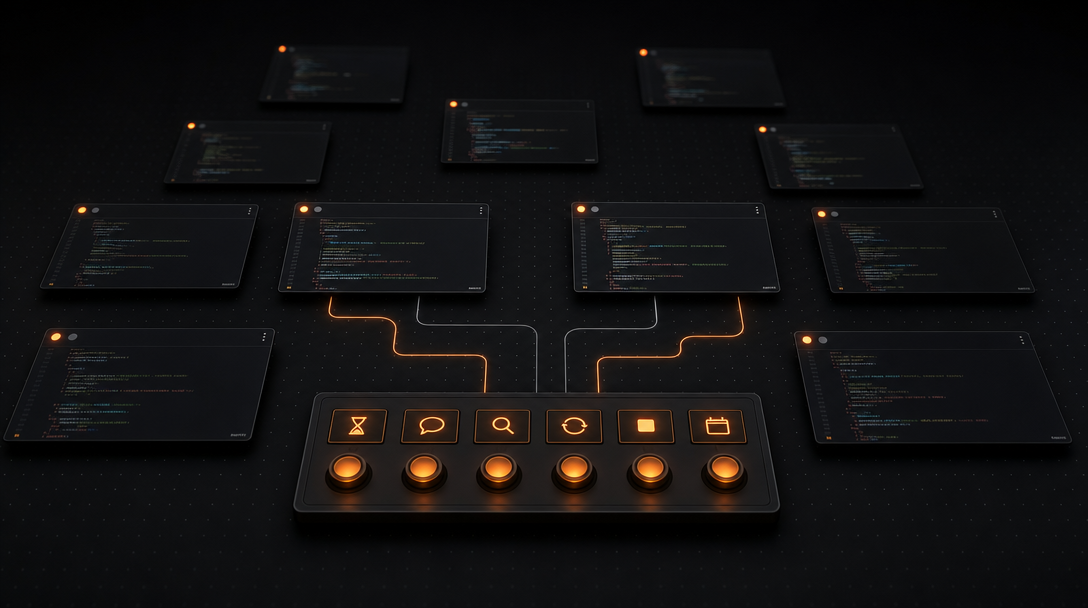
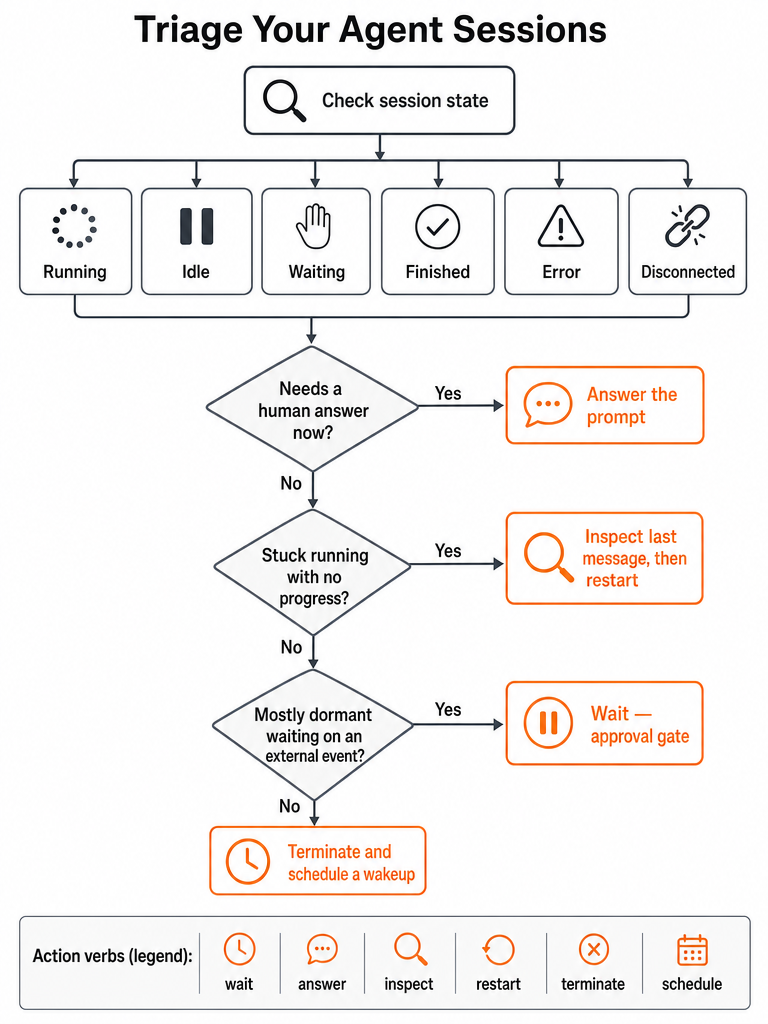
AI agent session status is the current execution state of a running agent — running, idle, waiting for input, finished, errored, or disconnected — paired with the next move you should make. The point isn't the label; it's the action loop. Read the state, then pick one of six responses: wait, answer, inspect, restart, terminate, or schedule.
Map each state to a default action and you stop guessing pane by pane:
| State | What it means | Default action |
|---|---|---|
| Running | Model call in progress or task actively executing | Wait |
| Waiting | Agent paused on a human prompt or approval gate | Answer |
| Idle | Session alive, no active task | Inspect or schedule |
| Finished | Task complete, output written | Read output, terminate |
| Error | Run failed or hit an exception | Inspect, then restart |
| Disconnected | Session lost its connection or process | Restart |
The hard part across many panes isn't naming the state — it's seeing all of them at once without clicking into each session. When a dozen agents run across several repos, the bottleneck is visibility, not labeling. A pane that's truly running needs nothing from you; a pane that's waiting is silently stalling your whole pipeline.
Execution status vs session status: what is the difference?
Execution status describes whether a task is actively computing right now; session status describes the lifecycle and stored context of the conversation that task lives inside. A session can be alive and healthy while its current execution sits dormant for days. Conflating the two is how a paused agent gets misread as a failed one.
The Google Developers Blog's Agent Development Kit (ADK) article makes this concrete. Its New Hire Onboarding Coordinator Agent sends a welcome packet, then pauses for three days while an employee signs documents, delegates IT provisioning to a sub-agent, waits again for hardware delivery, and finally sends a day-one schedule — without losing context. During those pauses, the session is fully intact. Only the execution is dormant.
That distinction has a cost dimension too. The OpenClaw HEARTBEAT guide by Roberto Capodieci frames a persistent, always-hot session as a liability: it carries its full rolling context into every API call whether or not real work is happening. So "session alive" and "doing useful work" are separate questions.
A dormant session waiting on an external event is working as designed — not stuck, not failed.
When you triage, ask the lifecycle question first (is this session healthy and intended to be open?) and the execution question second (is it making progress right now?).
How do I monitor a running session?
Monitoring many parallel sessions means watching a small fixed set of signals on every pane at once, not reading scrollback one terminal at a time. The signals that matter: current state (running, waiting, idle, error), the last visible line of output, whether a prompt is pending, which repo or workspace the session belongs to, and whether the pane has advanced since you last looked.
For dense local workflows, those signals need to survive zoom-out. If you can only tell a pane's status by clicking into it, you've recreated the tab problem at canvas scale. The whole value of at-a-glance monitoring is catching the waiting prompt or the error before it stalls downstream work.
This is the gap most existing material leaves open. Framework docs define API-level execution enums; cost-tuning posts focus on tokens. Neither gives you a live operator view of which of your twelve panes needs a human right now.
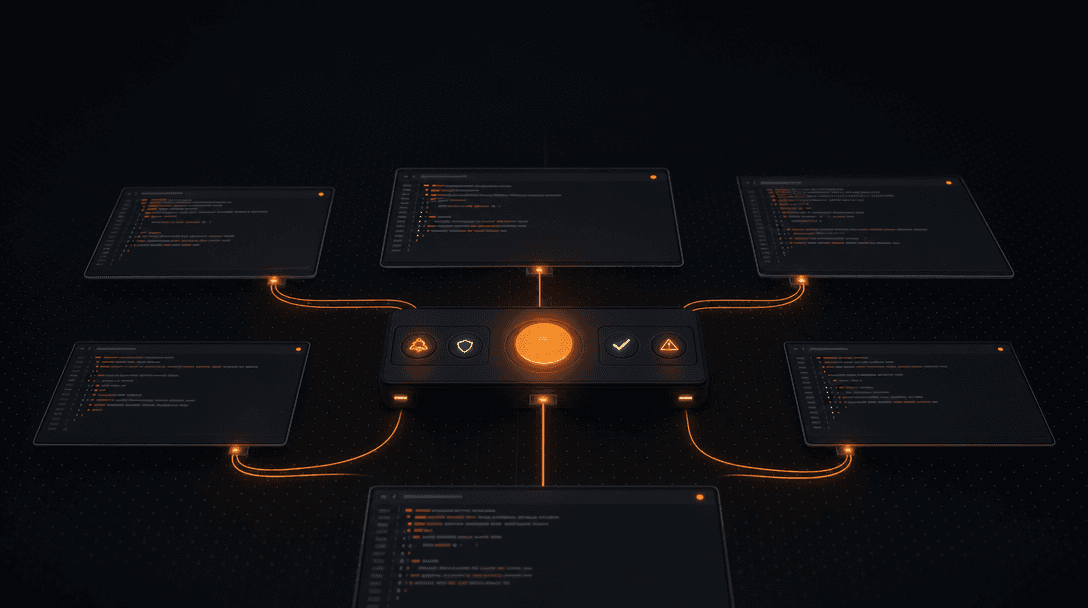
CodeGrid handles this with live status indicators on each pane — running, waiting, idle, error — visible even when you've zoomed the canvas out to see everything. Combined with PTY-backed sessions and per-pane repo context, you read the whole board in one glance.
For a deeper walkthrough, see how to run multiple Claude Code sessions without losing track.
Download CodeGrid for macOS — get it here.
How do I diagnose an agent status stuck at running indefinitely?
A session that shows "running" forever is usually not computing — it's blocked on something you haven't answered. Before you restart and lose context, work a short runbook that rules out the cheap causes first. Restarting a healthy paused session is the most common way developers throw away good state.
Run these checks in order:
- Read the last agent message. If the agent asked a question or hit an approval gate, the "running" indicator may really mean "waiting" — answer it and the run continues.
- Check for an unanswered human prompt. Approval prompts and tool-permission requests stall silently. This is exactly where Claude Code approval prompts get missed.
- Verify whether it's parked on an external event. Per the Google ADK article, long-running workflows are dominated by idle time spent waiting on a signature, a shipping confirmation, or an approval. A pause for an external event is correct behavior, not a hang.
- Confirm the connection and process are alive. A dropped PTY or a dead process can leave a stale "running" badge that no longer reflects reality.
- Restart only after the first four come back clean. If there's no pending prompt, no external-event gate, and the connection is healthy but the agent is genuinely wedged, then restart.
Restart is the last step, not the first — most "stuck running" panes are waiting on you, not broken.
The visible distinction between a pane that's truly mid-inference and one parked on a prompt is what makes this triage fast. Without it, every long-running pane looks identical and you waste restarts.
Which sessions need human input now, and which can stay dormant?
Waiting prompts and errors always outrank dormant sessions, because a dormant session is doing exactly what it should and a waiting one is blocking work. The triage rule: anything asking for a human answer or showing an error gets attention first; anything paused behind a known external-event gate can sit.
The Google ADK onboarding example shows what legitimate dormancy looks like. The agent pauses for three days waiting on a document signature, then pauses again for hardware delivery. Across a workflow that spans two weeks, most of the elapsed time is idle by design — the agent isn't broken, it's gated on events outside its control. Sales prospecting sequences in the same article stretch over a month with the same pattern.
So sort your open sessions into two buckets:
- Act now: waiting on a human answer, hit an error, or lost its connection. These stall everything downstream.
- Leave alone: parked behind an approval, a signature, a hardware delivery, or any external event that hasn't fired yet.
The failure mode is treating dormant and failed as the same thing. If your monitoring can't tell "paused on a three-day signature" apart from "errored out an hour ago," you'll either babysit working agents or ignore broken ones.
When should idle work become a scheduled wakeup instead of a hot session?
Switch to a scheduled wakeup whenever an agent spends most of its time waiting between recurring tasks rather than actively working. Keeping a session hot just to poll on an interval burns context and tokens for nothing. The OpenClaw HEARTBEAT guide names "agents waiting around between tasks in an active session" as the most common token sink.
The HEARTBEAT pattern flips the model: instead of an always-on session, a scheduled task spins up, runs, writes its output, and terminates. No idle time, no accumulated context between runs. The guide's examples make the cadence concrete:
| Task | Cadence | Scope |
|---|---|---|
| Server health check | Every 30 minutes | Status only |
| Inbox summary | Every 6 hours | Last 20 Gmail messages |
| Response alert | Per run | Only if something needs a reply within 24h |
For agents currently running continuous monitoring loops, the OpenClaw guide claims HEARTBEAT scheduling can cut token usage by 60–80%.
The decision is simple: recurring, predictable, and tolerant of a gap between checks → schedule it. Interactive, dependent on your in-the-moment input, or part of work you're actively reviewing → keep it hot and visible. Reserve your live canvas for the sessions that genuinely need eyes, and let recurring background work wake itself.
Why do persistent sessions get expensive?
Persistent sessions get expensive because they carry their entire rolling context into every single API call. The OpenClaw guide puts it plainly: a 50-message thread isn't 50 messages of cost — it's the compounding weight of every system prompt, every file read, and every tool response that came before, replayed on each turn.
The guide models the growth. A baseline context of roughly 3,000 tokens — made up of SOUL.md, AGENTS.md, and tool descriptions — doesn't stay flat. In an unbounded session running around 50 turns per day, that baseline can swell to 20,000 tokens or more by turn 50. Every turn after pays for everything before it.
This is why session status is a cost signal, not just a UI label. A pane sitting "running" or "idle" all day isn't free even when it's doing nothing visible — if the underlying session is persistent, it's accumulating context you'll pay to resend.
The Google ADK article reaches the same conclusion from the architecture side: replaying a full two-week conversation history on every inference call burns token budget, because most of those turns are no longer relevant to the current decision.
The fix both sources point to is the same — stop keeping sessions hot when they don't need to be, and don't replay raw history you don't need.
How do sessions maintain conversation history across multiple agent runs?
Durable sessions persist explicit state, not raw chat logs, so a paused agent can resume without replaying its entire history. The Google ADK article names three architectural shifts that make this work: durable memory schemas instead of dumping raw JSON into a vector database, event-driven dormancy gates instead of active polling, and multi-agent delegation instead of one monolithic prompt.
What actually needs to survive a pause or restart:
- Structured state — the facts the agent needs to act next, stored in a defined schema rather than reconstructed from transcript.
- The dormancy gate — which external event the session is waiting on, so it knows what wakes it.
- Delegated work state — what sub-agents are doing, like the IT provisioning the onboarding agent hands off.
- Enough explicit context — to avoid replaying the full conversation on resume.
The Google ADK onboarding agent demonstrates the payoff: it runs for two weeks, pauses across multiple external events, delegates work, and resumes each time without losing a byte of context. It does that because the state lives in a durable schema, not in a chat history that has to be replayed.
For local coding-agent workflows, the practical version of this is layout and session restore — being able to close the workspace and bring back every session, directory, and pane exactly where it was. CodeGrid restores sessions, working directories, and canvas layout on relaunch, so a restart doesn't mean rebuilding context by hand.
How do I poll until an agent task is complete without babysitting it?
Poll only while a task is genuinely active, stop the moment it hits a dormancy gate, and never keep a session hot just to wait. Active polling on an idle session is the exact waste the OpenClaw guide flags — it's the agent "waiting around between tasks" that drives token bills up.
The flow that avoids babysitting:
- Watch only while the task is truly executing. A running model call or active tool use is worth watching live.
- Stop active polling at the dormancy gate. Once the agent is parked on an external event — a signature, a deploy, a reply — there's nothing to poll for. Per the Google ADK article, the right pattern here is an event-driven dormancy gate, not a blocked thread or a busy loop.
- Write the output. Persist what the run produced to durable state before the session goes cold.
- Terminate or schedule the next wakeup. Following the OpenClaw HEARTBEAT model, the session spins down rather than idling, and a scheduled task brings it back when there's real work.
In practice, this is the difference between staring at a terminal and glancing at a status indicator. With live per-pane state on a canvas, you watch the running panes, ignore the gated ones, and only step in when a pane flips to waiting or error.
When multiple coding-agent sessions are open, what should get your attention first?
With many sessions open, work them as a priority queue, top to bottom: waiting prompts, then errors, then stuck-running panes, then safe dormant sessions, then clean idle panes. The first three block work or progress; the last two are fine to leave. Triaging in that order means you spend attention where it actually unsticks the pipeline.
The queue in order:
- Waiting prompts — an agent is blocked on your answer; everything behind it stalls. Highest priority.
- Errors — a run failed; inspect, then restart once you know why.
- Stuck-running panes — work the runbook before restarting; most are really waiting prompts in disguise.
- Safe dormant sessions — parked behind a named external-event gate; leave them.
- Clean idle panes — alive, no task; schedule or close.
The recurring problem this solves is missed prompts and terminal sprawl — a dozen agents across repos where you can't tell which one needs you. The fix is making all five states visible at once so the queue is obvious instead of buried in scrollback.
For the broader workflow around this, see running 10+ AI coding agents in parallel and why tmux and iTerm2 break down when managing agents.
Ready to read the whole board at a glance? Download CodeGrid for macOS.
Frequently asked questions
What are the six AI agent session states and what action does each one require?
The six states are running, waiting, idle, finished, error, and disconnected — each maps to a default action. Running means wait; waiting means answer immediately (it's blocking your pipeline); idle means inspect or schedule; finished means read output then terminate; error means inspect before restarting; disconnected means restart. Treating waiting and error as interrupts and everything else as background keeps a multi-session workflow moving without constant pane-clicking.
What's the difference between execution status and session status for an AI agent?
Execution status tells you whether a task is actively computing right now; session status describes the agent's lifecycle and stored context. They're independent — a session can be fully intact while execution is dormant for days. The Google ADK onboarding example demonstrates this: an agent pauses for three days waiting on a document signature, then resumes without losing context. Conflating the two causes healthy paused agents to get misread as failures and restarted unnecessarily.
Why does a persistent AI agent session get expensive over time?
Every API call replays the full rolling context — system prompt, file reads, tool responses, all prior turns. The OpenClaw HEARTBEAT guide models this concretely: a baseline context of roughly 3,000 tokens can swell to 20,000 tokens or more by turn 50 in an unbounded session running about 50 turns per day. A pane that looks idle isn't free if its underlying session is persistent — you're paying to resend accumulated context on every call.
When should I switch an idle agent session to a scheduled wakeup instead of keeping it hot?
Switch to scheduled wakeup when the agent spends most of its time waiting between recurring tasks rather than actively working. The OpenClaw HEARTBEAT pattern — spin up, run, write output, terminate — eliminates idle accumulation entirely. The guide claims this can cut token usage by 60–80% for agents running continuous monitoring loops. Keep sessions hot only for work that's interactive or actively under review; let recurring background tasks wake themselves on a schedule.
How do I diagnose an AI agent stuck at running indefinitely before restarting it?
Work a short runbook before restarting: first read the last agent message for an unanswered question or approval gate; second check for a pending human prompt or tool-permission request that's stalling silently; third verify whether the agent is parked on a named external event like a signature or deploy — per the Google ADK article, that's correct behavior, not a hang. Confirm the PTY connection and process are still alive. Restart only after all four checks come back clean — most stuck-running panes are waiting on you.
How do you monitor many parallel agent sessions without clicking into each terminal pane?
You need live state indicators — running, waiting, idle, error — visible at canvas zoom level, not buried in scrollback. CodeGrid surfaces per-pane status indicators on its 2D canvas so you read the whole board in one glance without entering each session. The critical distinction: silence in output isn't the same as idle — an agent mid-inference produces no output for seconds at a time, so only an actual running indicator, not output silence, correctly reflects progress.
Sources
- Build Long-running AI agents that pause, resume, and never lose ...developers.googleblog.com
- How to Build an AI Agent That Runs Overnight: A Practical Guidecapodieci.medium.com