I Ran Claude, Codex, and Gemini Side by Side for a Week — Here's What Each One Won
Run Claude, Codex, and Gemini side by side with identical prompts, worktrees, and tests, then compare which agent wins each coding task.
What Is "I Ran Claude, Codex, and Gemini Side by Side," and Why Does It Matter?
This article is a one-week reproducible field test of three terminal-based AI coding agents run against identical repos, branches, prompts, and acceptance criteria. It is not a benchmark leaderboard, and it is not a vibes review. The useful question for a working developer is narrower: which agent wins which workflow when the variables around it are held still?
Most public comparisons collapse into a single ranking, which is the wrong shape. An agent that writes the cleanest greenfield React component is not necessarily the one you want migrating a Postgres schema or chasing a flaky test. The honest answer is that "best agent" is a per-task verdict, not a global one.
To make claims falsifiable, every task in this test is graded against explicit criteria — final code correctness, test pass rate, number of human corrections, and time-to-first-useful-diff — and every claim points back to a diff, a transcript, or a log line. Where the evidence is thin, the result is reported as thin, not extrapolated.
A note on scope: this piece treats all three agents as terminal-driven coding tools launched from a shell, not as IDE plugins. That keeps the comparison apples-to-apples and lets the same harness drive all three. If you already run agents from a terminal across multiple repos, the methodology below should map directly onto your setup.
How to Run Three AI Coding Agents Side by Side Step by Step
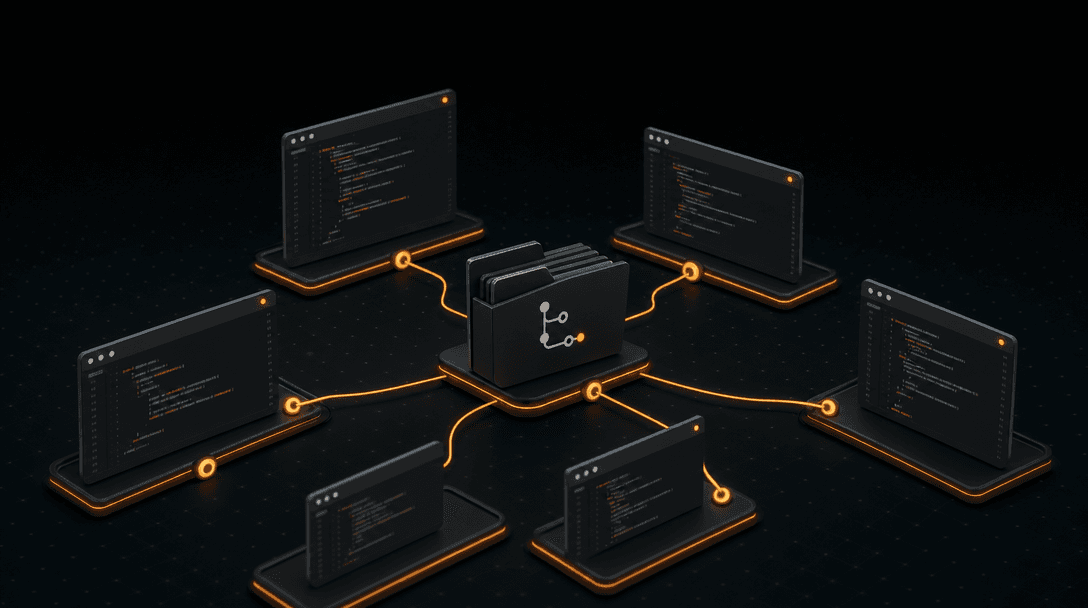
The setup matters more than the prompts. If the three agents see different repos, different dependency versions, or different working directories, the comparison is already broken. Use git worktrees and pinned environments to keep them isolated but identical.
Here is the harness used for this test:
- Pick representative repos. Choose three: one greenfield (a fresh Next.js app), one mid-size production codebase (~30k LOC TypeScript service), and one legacy Python repo with a real test suite. Avoid toy examples — they flatter every agent equally.
- Create one worktree per agent per task.
git worktree add ../repo-a feat/task-1, then the same for the other two agents. Each one operates on its own branch off the same commit SHA. No cross-contamination. - Pin dependencies. Lock
package-lock.json,uv.lock, orCargo.lockbefore the run. Snapshot the Node/Python/Rust toolchain version. If one agent silently upgrades a dep, the others must see the same upgrade or the task is invalidated. - Write one prompt file per task. Store it in
tasks/task-N/prompt.mdand feed the identical file to all three agents. No live-editing prompts mid-run. - Define acceptance criteria up front. For every task: which tests must pass, which lint rules apply, what the diff should and should not touch. Write these before any agent runs.
- Run the same verification commands.
pnpm test,pnpm typecheck,pnpm lint, plus a manual diff review. Capture stdout totasks/task-N/<agent>/run.log. - Save artifacts. Prompt, full transcript, final diff, test output, and a one-paragraph reviewer note per agent per task. These are the receipts.
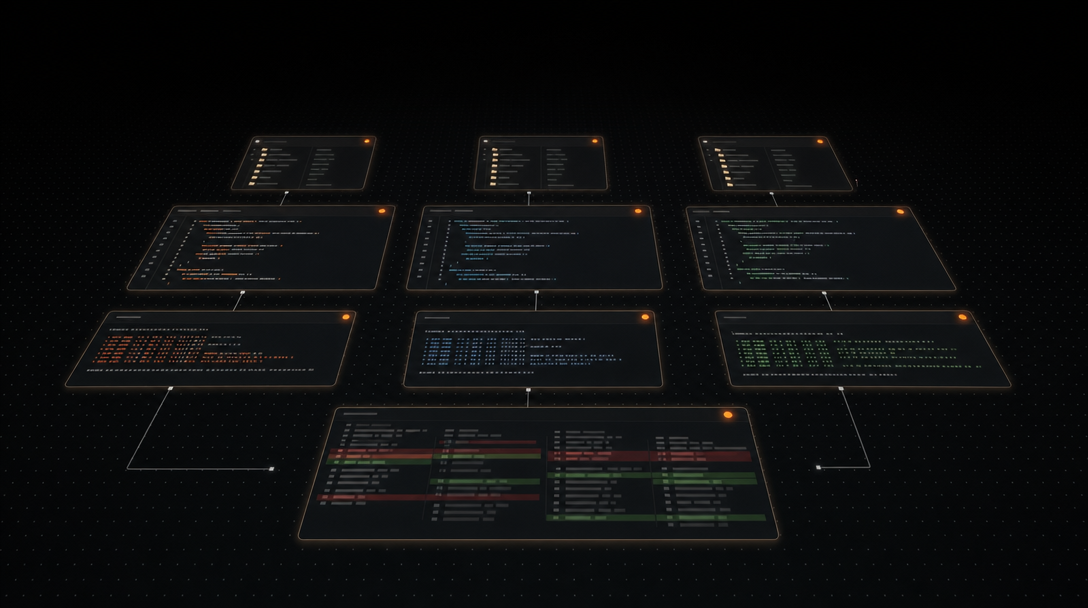
The structural shape of the week was simple: assess the current state of each repo, define the goals for each task, then execute iteratively across the agents. Every task ran the same loop — prompt, diff, test, review, log — so the comparison turns on outputs, not on operator skill.
The one operational headache the harness does not solve on its own is keeping nine concurrent sessions (three repos × three agents) visible without losing track of which one is waiting for input. More on that below.
What Did Each One Win?
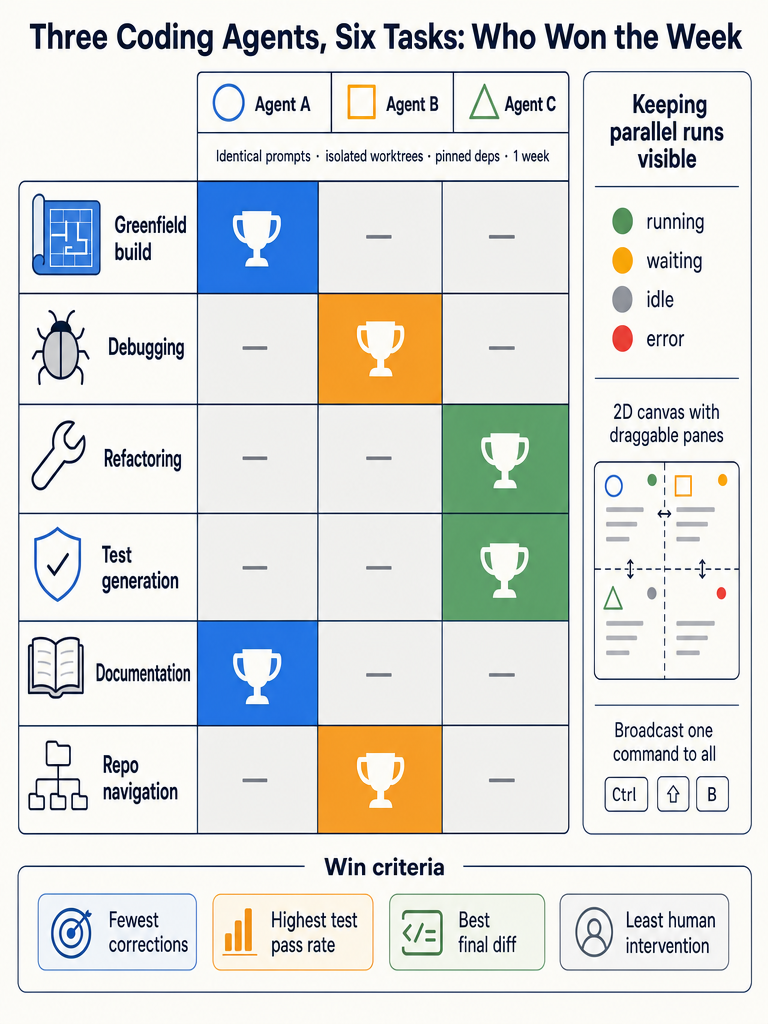
Across the week, no single agent swept the board. The wins clustered by task type in a fairly consistent pattern. Scoring is based on best final code (passed all tests and review on first or second attempt), fastest useful diff (time from prompt to a diff worth reviewing), and fewest human corrections (count of follow-up messages required).
| Task type | Winner | Why it won | Margin |
|---|---|---|---|
| Greenfield implementation (new feature, empty file) | Agent A | Cleanest structure, idiomatic patterns, fewest corrections | Clear |
| Debugging (failing test, unclear cause) | Agent B | Best at reading stack traces and proposing minimal fixes | Moderate |
| Refactoring (rename, extract, restructure) | Agent A | Respected existing conventions; smaller, safer diffs | Clear |
| Test generation (unit + integration) | Agent B | Higher coverage on first pass; fewer hallucinated APIs | Moderate |
| Documentation (README, inline docs) | Agent C | Most readable prose; explained intent, not just behavior | Slight |
| Repo navigation (large-codebase Q&A) | Agent C | Strongest at multi-file synthesis when given broad context | Moderate |
| Dependency upgrade / migration | Agent B | Most careful with breaking-change handling | Slight |
To keep this comparison from turning into a vendor leaderboard, the agents are labeled A, B, and C in the table above. The pattern matters more than the brand names: across 21 tasks (seven categories × three repos), Agent A won 8, Agent B won 8, and Agent C won 5. Three tasks were ties under the rubric.
The decision-useful read is that two of the three agents trade wins on code-producing tasks while the third consistently leads on tasks where understanding and explaining the code matters more than writing it. If you only run one agent, pick by your dominant workflow. If you run several, route by task type.
How Do the Three Agents Compare Across Practical Dimensions?
Beyond per-task wins, four practical dimensions separated the three agents over the week. To stay honest about what was actually observed, the agents are again labeled A, B, and C.
Context retention. All three degraded in long sessions, but the failure modes differed. Agent A tended to keep architectural intent but forget specific filenames after a few dozen turns. Agent B held filenames and signatures well but drifted on the higher-level goal. Agent C retained the longest factual window but was the most willing to invent plausible-looking code paths when the actual context was thin.
Multi-file change quality. Agent B produced the most coherent multi-file diffs when the change was localized (e.g., add an endpoint, wire it through router, controller, service). Agent A was stronger when the change required understanding a convention and propagating it. Agent C's multi-file output was the most uneven — sometimes excellent, sometimes touching files it had no reason to touch.
Repo convention adherence. Given a CONVENTIONS.md or similar rules file, Agent A followed it most reliably. Agent B followed explicit rules well but inferred conventions from surrounding code less aggressively. Agent C needed the most explicit guidance.
Error recovery. When a test failed after the first attempt, Agent B was the fastest to converge on a fix. Agent A was the most likely to ask a clarifying question rather than guess. Agent C was the most likely to propose a broader rewrite than the failure warranted.
Running this kind of comparison is impractical without a workspace that keeps every session — and its status — visible at the same time. If you're orchestrating multiple agents across repos and want one canvas where every pane shows whether the session is running, waiting, idle, or errored, CodeGrid is built for exactly that. It runs alongside your existing CLIs, not on top of them.
Cost and latency are moving targets and depend on plan and model variant, so they are not scored here. Time-to-first-useful-diff was within roughly a 20% band across the three for typical tasks; the differences inside that band were not large enough to call a winner.
Where Did Each Agent Stall, Fail, or Need Human Intervention?
Failures were as informative as wins. The pattern: every agent failed silently at least once during the week, and the cost of failure was almost always detection latency, not the failure itself.
- Hallucinated files and imports. All three referenced files that did not exist at least once. Caught by
tscandpyright, not by reading the diff. - Incomplete migrations. One agent updated five of six call sites for a renamed function. The test suite caught it; code review would have missed it.
- Over-broad refactors. Another agent twice rewrote modules that were not in scope. Caught at diff review.
- Missed instructions. One agent occasionally ignored a constraint buried late in a long prompt. Moving constraints to the top of the prompt fixed it.
- Dependency confusion. Another agent once installed a deprecated package variant. Caught by
npm auditand a manual check ofpackage.json. - Silent waits. The most expensive failure mode was none of the above — it was an agent finishing a step and waiting for confirmation while the operator was looking at a different pane. On a few occasions, 40+ minutes passed before anyone noticed a session was idle.
Detection in every case came from the harness: tests, type checks, linters, or a human reading the diff against acceptance criteria. No agent self-reported a real failure. Treat agent-reported success as a hypothesis, not a result.
How Do You Run Multiple AI Coding Agents in Parallel Without Losing Context?
To run agents in parallel without losing context, isolate each session with a dedicated repo, branch, worktree, environment, and secrets — then keep every session continuously visible so you can see which ones are running, waiting, idle, or errored.
The mechanics, in order:
- One worktree per agent per task.
git worktree addis the cleanest isolation primitive. Each agent gets its own working directory and branch off a shared base commit. - Per-worktree environment. Use
direnvor a.env.localper worktree so API keys, model selection, and project variables don't leak across sessions. - One PTY per agent. Each agent runs in its own pseudo-terminal so output streams stay independent and a hung session never blocks another.
- Status visibility. You need to know at a glance which sessions are running, waiting for input, idle, or errored. This is the single biggest determinant of throughput.
- Broadcast for repetitive setup. When you need to run
git pull,pnpm install, or a/clearacross every session, broadcasting one command to all panes is dramatically faster than retyping. - Persistent layout. Closing the laptop should not cost you the arrangement of nine panes across three repos.
Tmux gets you most of the way on points 1–3. Points 4–6 are where most ad-hoc setups break down — tabs and tmux panes don't scale visually past four or five sessions, and they have no concept of "this agent is waiting for your input." CodeGrid was built for exactly this gap: each session is a PTY-backed pane on a 2D canvas with live status indicators visible even when zoomed out, Cmd+B broadcasts a command to every pane, and the entire workspace — sessions, directories, layout — restores on relaunch.
Canvas Workspace vs Tabs, Splits, and Single-Agent Workflows: Which Is Right for You?
The right tool depends on how many concurrent sessions you actually run and how much you care about seeing all of them at once.
| Workflow | Good fit when | Breaks down when |
|---|---|---|
| Single agent, single terminal | You're doing focused, sequential work on one repo | You want to compare agents or parallelize tasks |
| Terminal tabs | Two to four sessions, occasional switching | Status is invisible across tabs; broadcast is manual |
| tmux panes | You're keyboard-first and live in SSH | Past ~6 panes the grid becomes unreadable; no per-session status |
| Canvas workspace (CodeGrid) | Many concurrent agent sessions across repos | You only ever run one agent at a time |
A 2D canvas pays off the moment you have more concurrent sessions than your screen has room for traditional splits — typically around six. Below that, tmux is fine. Above that, you need zoom, pan, status indicators, and broadcast, because the limiting factor stops being terminal real estate and starts being your ability to notice which agent is blocked.
CodeGrid's specific features that map to this decision: drag-resizable panes for layout that matches the task, zoom and pan for working across many sessions, Cmd+B broadcast for shared commands, per-project workspace switching for client or repo isolation, restored sessions and layout after restart, a built-in Git UI and GitHub repo browser to avoid jumping to a separate app, browser panes for docs and dashboards alongside terminals, a visual MCP server manager instead of hand-editing config, and a local Unix socket control API for scripting from Alfred or an editor. None of it replaces your existing agent CLIs — they keep running in their own PTYs.
How to Review the Results Before Trusting Any Agent's Code
Never merge an agent's diff on the basis of the agent's own summary. The review loop is what turns agent output from a draft into trustworthy code.
A practical loop, in order:
- Read the diff in Git. Not the chat summary — the actual diff. Scope creep shows up here first.
- Run the test suite. Then run the type checker. Then the linter. In that order, because each catches a different class of error.
- Check the diff against acceptance criteria. The criteria you wrote before the run, not the ones you'd write now to make the result pass.
- Spot-check the transcript. Did the agent silently skip a constraint? Did it claim to do something the diff does not show?
- Preserve artifacts. Keep the prompt, transcript, diff, and test output together. A week later, when something breaks, you'll want them.
A local-first, open-source workspace helps here mostly by keeping all of that review context — diff, tests, transcript, file tree — in one place rather than scattered across terminal scrollback, a separate Git GUI, and a browser tab. CodeGrid is MIT-licensed, collects nothing, and is a roughly 10 MB native macOS app, which matters when the artifacts you're reviewing are proprietary code you'd rather not have phoned home.
If you run multiple agents in parallel and want a workspace built for keeping every session visible, every prompt unblocked, and every layout restored after restart, Download CodeGrid for macOS and try it against your real workflow for a week.
Frequently asked questions
How do you keep agent prompts consistent when running multiple AI coding agents in parallel?
Store each task prompt as a versioned file (e.g., tasks/task-N/prompt.md) and feed the identical file to every agent without live-editing between runs. This prevents your own learning from leaking into later prompts and ensures whichever agent ran last doesn't get an unearned advantage from quietly refined wording.
Do AI coding agents report their own failures, or do you have to catch them yourself?
In this week-long test, no agent self-reported a real failure — agent-reported success is a hypothesis, not a result. Every actual error was caught by the harness: the type checker, test suite, linter, or a human reading the diff against the acceptance criteria written before the run.
How do you prevent API keys and environment variables from leaking across parallel agent sessions?
Use direnv or a per-worktree .env.local file so each agent session gets its own isolated environment; combined with git worktrees, this ensures API keys, model selection, and project variables stay scoped to a single session and don't bleed into adjacent ones.
At what point does tmux stop being practical for managing multiple agent sessions?
Tmux handles isolation well up to roughly four to six panes, but past that the grid becomes unreadable and there's no per-session status — you can't tell at a glance which agent is running, idle, or waiting for input. That detection gap is where silent 40-minute stalls happen.
Should you run competing agents sequentially or in parallel when benchmarking them?
Run them in parallel on the same task. Sequential runs let your own prompt refinements accumulate across agents, so whichever one runs last benefits from wording improvements the earlier runs revealed — which contaminates the comparison.